PETG is widely used for functional prototypes, mechanical parts, brackets, enclosures, and other components that require a combination of toughness and relatively easy processing. However, moisture can affect printing performance after the filament has been exposed to ambient humidity. For professional users, drying should therefore be treated as part of material preparation rather than an optional step. The right equipment and process can also improve consistency across repeated production runs.
Why Does PETG Need Drying?
PETG is less moisture-sensitive than some engineering materials, but it can still absorb moisture during storage. Prusa Research lists PETG as a material that benefits from drying and recommends 55°C for six hours for its PETG formulations. Its technical guidance also notes that drying can help reduce issues such as stringing, oozing, and clogging after prolonged storage.
Moisture can become particularly noticeable during printing because heat at the nozzle can cause absorbed water to vaporize. This may contribute to inconsistent extrusion and visible print defects. For businesses producing functional parts or customer-facing prototypes, controlling filament condition before printing can help reduce avoidable variation between jobs.
Check the Filament Manufacturer’s Drying Guidance
There is no single drying temperature that should automatically be applied to every PETG product. Different formulations, additives, spool materials, and production processes can change the recommended conditions. Therefore, the manufacturer’s specifications should take priority over a generic temperature chart.
For example, Prusa Research recommends 55°C for six hours for PETG in its filament-drying guidance. It also warns that drying temperatures should not be exceeded because excessive heat can soften filament and cause it to stick together. The spool itself should also be able to tolerate the selected drying temperature.
Prepare PETG Before Drying
Before placing a spool into a dryer, inspect the filament and spool for obvious damage or contamination. Confirm that the spool material can tolerate the selected temperature, especially when using equipment capable of higher-temperature drying.
A practical workflow is to remove the spool from uncontrolled ambient exposure and place it directly into a controlled drying environment. After drying, keeping the material in a sealed dry box or continuing to feed it through a controlled dryer during printing can help limit renewed moisture exposure.
Set the Right Temperature and Time
For PETG, a moderate drying temperature is generally preferable to simply choosing the highest available setting. Prusa Research’s published recommendation of 55°C for six hours provides one reference point, but users should follow the specific filament manufacturer’s instructions when they differ.
Time also matters. A spool that has absorbed more moisture may require a longer controlled drying cycle than one that has only been exposed briefly. Professional teams should record material type, drying temperature, drying duration, and printing results when establishing an internal process. This creates a repeatable workflow instead of relying on trial and error.
Use a Dedicated Dryer for Better Process Control
Dedicated filament dryers are among the useful 3D printer accessories for businesses that regularly print moisture-sensitive materials. Unlike improvised heating methods, a purpose-built dryer can provide controlled temperature and a dedicated chamber for filament preparation. Prusa Research also recommends checking whether the dryer’s specifications match the required drying temperature.
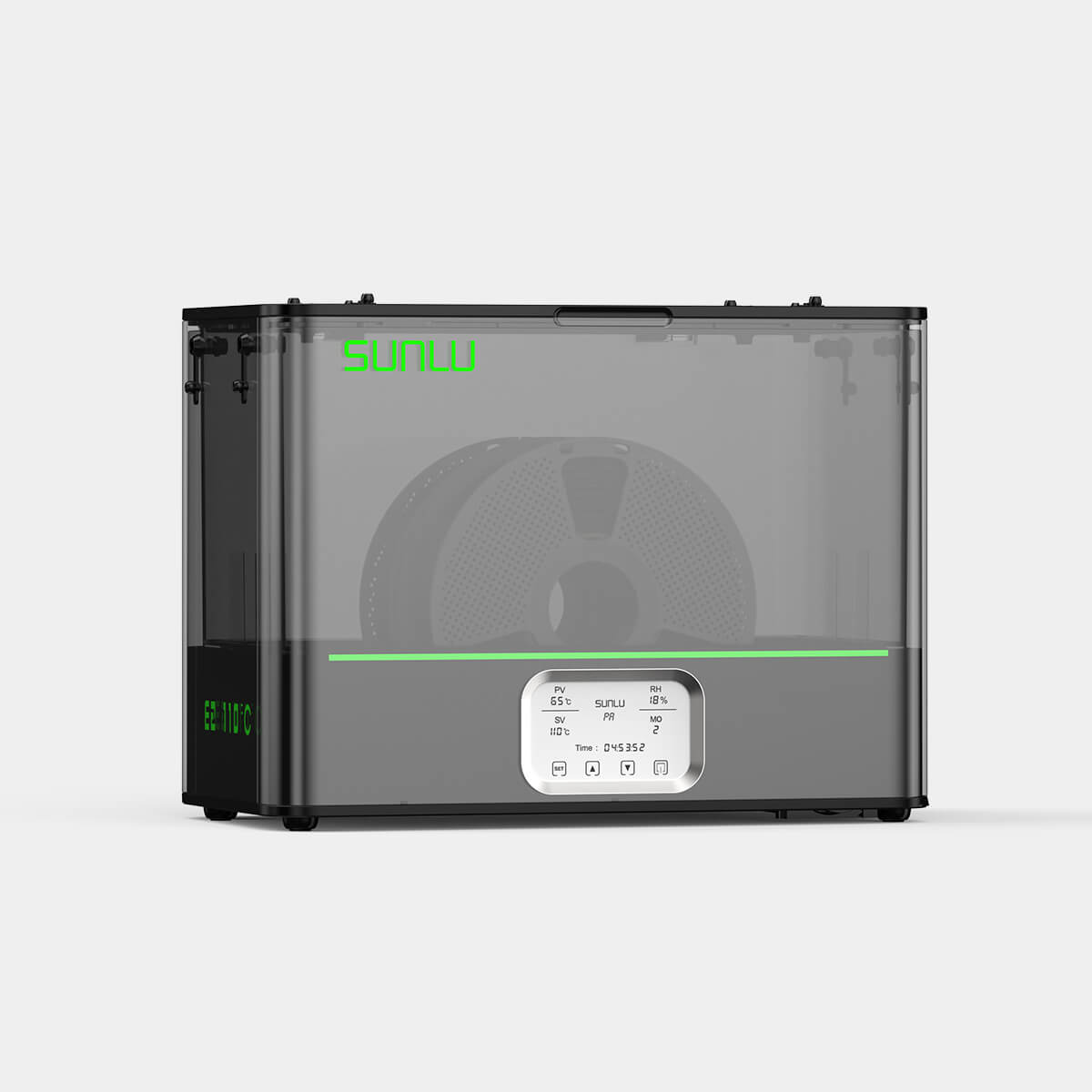
SUNLU FilaDryer E2 is designed for engineering-grade consumables and combines drying with annealing. Its working temperature range is 35–110°C, while SUNLU specifies rapid heating to 70°C for standard filaments and up to 90°C for specialty materials such as PA and PC. It supports 1.75 mm and 2.85 mm filament diameters.
Keep PETG Dry During Printing
Drying the spool before printing is only part of moisture management. Once dried filament is exposed to humid air, it can gradually absorb moisture again. This is particularly relevant for production environments where a spool may remain loaded for an extended period or where printing continues across multiple shifts.
A dryer that can hold filament during printing provides an additional layer of control. For professional workflows, this can reduce repeated handling and help maintain more consistent material conditions from preparation through extrusion. Businesses should still follow the filament manufacturer’s recommended storage and operating conditions.
Consider Capacity and Workflow
Equipment selection should reflect production volume rather than only the number of printers. A small operation may only need one spool at a time, while a production team may need to prepare multiple materials or larger rolls without frequent changeovers.
SUNLU FilaDryer E2 can accommodate two standard 1 kg spools or one 2 kg spool according to SUNLU‘s product information. Its larger chamber is designed for engineering materials, while the double-chamber construction helps reduce heat loss. The unit also supports 80–90°C annealing for two to three hours.
Build Drying Into the Production Process
For companies using PETG regularly, filament drying is most effective when incorporated into the standard material workflow. Operators can define storage procedures, inspect material condition, follow manufacturer-recommended drying settings, and record results for repeat jobs. This approach makes one of the most practical 3D printer accessories part of a controlled production process rather than an emergency troubleshooting tool.
SUNLU develops and manufactures 3D printing materials and related electronic products, with equipment designed for different filament-handling requirements. Its FilaDryer E2 combines drying, annealing, large-capacity handling, and compatibility with 1.75 mm and 2.85 mm filaments. For businesses managing multiple materials, selecting suitable 3D printer accessories can support more consistent preparation and production.
