Diagnostic imaging systems must process demanding workloads while supporting stable operation, reliable integration, and careful verification. A medical AI computer and a standard industrial PC may share familiar components, but they are not automatically interchangeable. The right choice depends on the imaging workflow, safety and regulatory needs, software stack, expansion requirements, and expected service life. Comparing these factors early helps manufacturers reduce integration risk and avoid redesigns.
Start With the Intended Use
A standard industrial PC is commonly selected for automation, machine control, data acquisition, or operation in challenging environments. A medical AI computer is designed with healthcare use cases in mind, such as imaging workstations, medical carts, image analysis, and local clinical data processing.
The distinction is not just the product label. Manufacturers should document what the computer will do, where it will be installed, who will operate it, and whether its failure could affect essential device performance. These answers shape system risk assessment and the evidence required for verification.
Safety and Compliance Need Earlier Attention
Medical electrical equipment may be subject to standards covering basic safety, essential performance, and electromagnetic compatibility. IEC 60601-1 provides general requirements, while collateral and particular standards may add or modify requirements for specific equipment. Applicability depends on the complete device and intended use.
A computer described as IEC 60601 compliant can be a useful starting point, but it does not make the finished imaging system compliant by default. The enclosure, power supply, cables, display, peripherals, and final configuration can affect results. Confirm the scope of supplier evidence with the regulatory team and plan system-level testing before design freeze.
Imaging Workloads Demand Predictable Compute
Diagnostic imaging can combine high-resolution image handling, reconstruction, visualization, measurement, and AI inference. Performance should be measured against the complete workflow, not a processor model alone. Consider image size, concurrent streams, response time, memory pressure, storage throughput, and the duration of peak loads.
Where algorithmic analysis is required, assess support for the planned accelerator and software frameworks. An advanced diagnostic imaging pc should be selected against measured workload needs, including headroom for future software changes. Avoid paying for unused compute but leave capacity for validated updates and expected product variants.
Expansion and I/O Affect System Architecture
Imaging equipment may connect to cameras, sensors, displays, storage, control boards, and hospital networks. A suitable platform needs the right mix of ports, bandwidth, and expansion options, along with drivers that work with the chosen operating system.
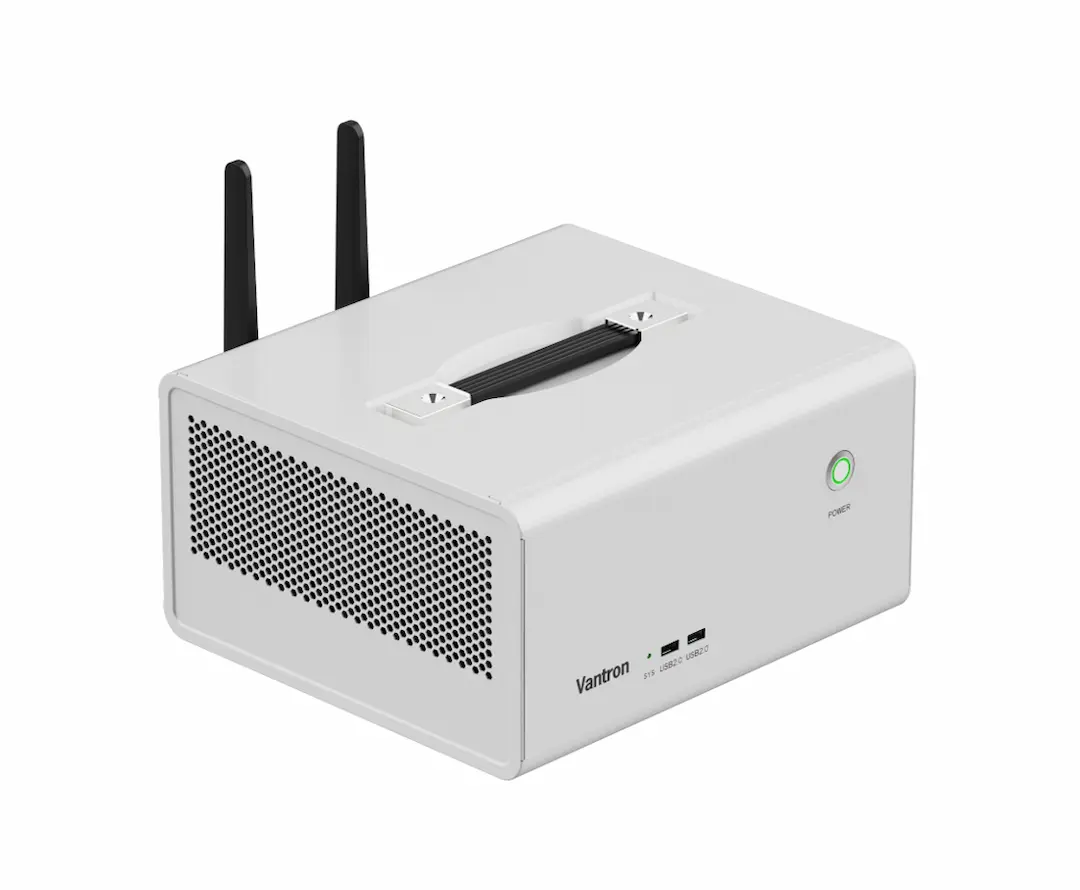
The EPC-H610-H Expandable Medical AI Box PC supports 12th, 13th, and 14th Gen Intel Core processors. Vantron’s published configuration includes 16GB RAM and 512GB storage, with memory expandable up to 96GB and storage expansion through SATA. It provides three independent display outputs and a PCIe 5.0 x16 slot for an optional GPU or AI accelerator. For teams planning a next-generation diagnostic imaging pc, these options can help match hardware to imaging and inference needs, subject to thermal and system validation.
Cooling, Noise, and Physical Integration Matter
High-performance computing generates heat, particularly when an accelerator operates continuously. A chassis that handles a short benchmark may not sustain the same performance during long imaging sessions. Review the cooling design, airflow clearances, ambient operating range, and thermal load of planned add-in cards.
Physical integration matters too. Medical carts and compact workstations have limits on space, weight, cable routing, and maintenance access. A handle or desktop form factor may simplify movement or placement, but the finished assembly still needs stability, electrical checks, and usability evaluation. Industrial ruggedness alone does not address every clinical workflow requirement.
Software, Data, and Security Must Fit the Device
Hardware capabilities only help when they match the application environment. Confirm support for the selected operating system, drivers, BIOS controls, graphics stack, AI libraries, and required interfaces. The EPC-H610-H lists Windows 10 IoT and Ubuntu 22.04; manufacturers should verify current software lifecycle and application compatibility before committing to a release plan.
Imaging systems may handle sensitive data and connect to hospital IT networks. Define access controls, secure configuration, patching responsibilities, logging, backup, and update validation. Updates should be tested against intended device performance before deployment. Maintain a controlled hardware and software baseline so service teams can reproduce issues and trace changes.
Lifecycle Support Is a Design Criterion
Medical device manufacturers need a platform that can be built, maintained, and supported across the planned product life. Evaluate component availability, revision control, product-change notices, repair processes, and supply commitments. These factors can matter as much as initial unit price when a device is validated and deployed across multiple sites.
Also assess engineering support. Access to documentation, driver packages, BIOS guidance, and technical escalation can shorten integration work. When evaluating a supplier such as Vantron, review product documentation and confirm support arrangements, configuration options, and supply expectations relevant to the project.
Choose for the Full System, Not the Category
A standard industrial PC may suit a medical-adjacent application when requirements are limited, and the system assessment supports that choice. For diagnostic imaging with demanding AI workloads, medical-oriented design, expansion flexibility, and clear compliance evidence may simplify evaluation. Any platform should be assessed against the actual clinical workflow, interfaces, risk controls, and verification plan.
Compare documented evidence, sustained workload performance, compatibility, service needs, and total lifecycle cost. The right computer is the one that fits the full device architecture and can be validated for its intended use.
