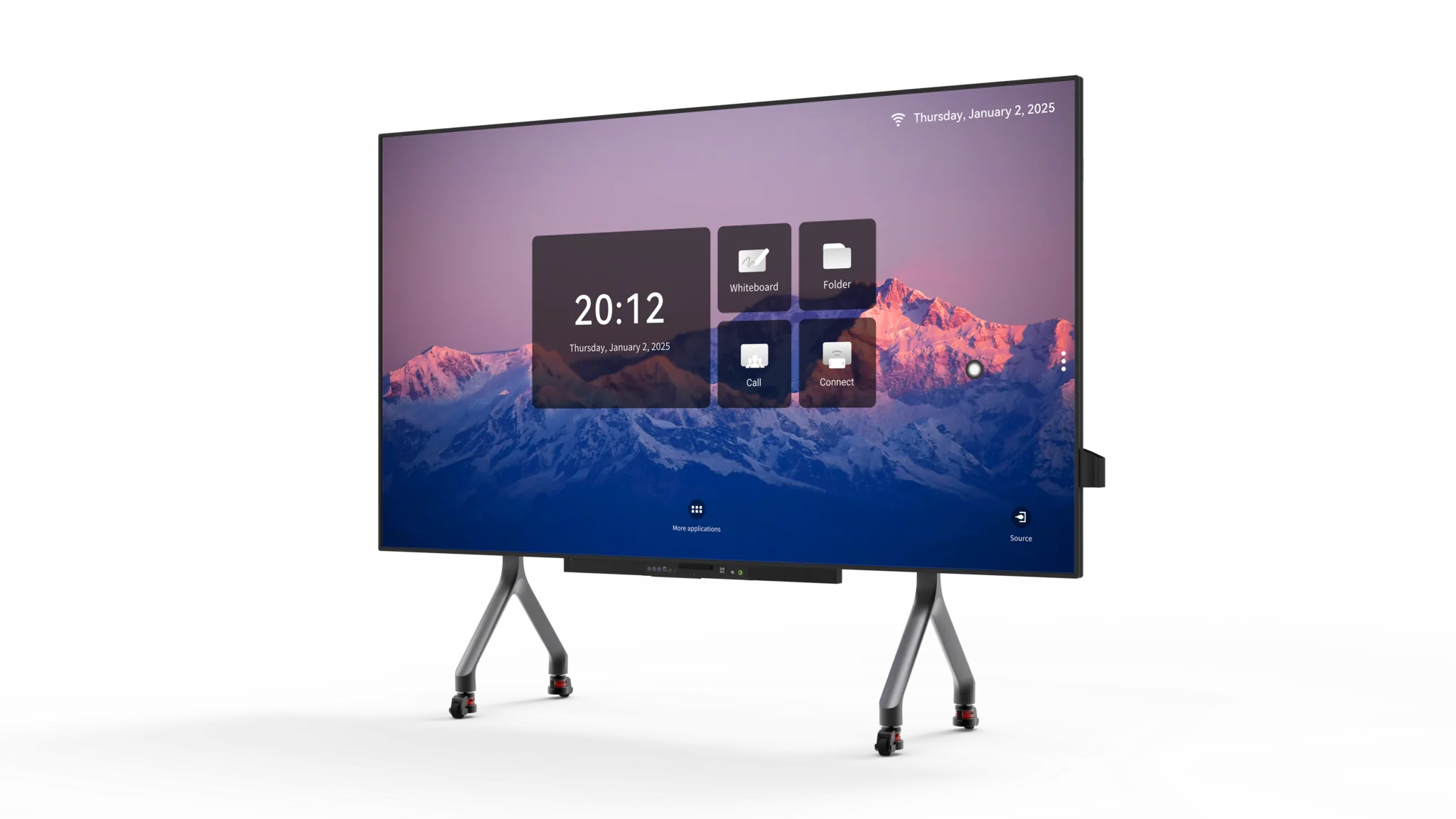
Budget planning becomes more complicated once display hardware, touch capability, computing power, and software are bundled into one meeting solution. Conference room smart boards can vary considerably in cost even when their screen dimensions appear similar. For buyers comparing options, interactive board price should therefore be viewed as the result of several technical and service-related choices rather than one specification. Ledman’s dual-system solution, for example, supports Android 13 and Windows 11 with seamless switching, showing how software flexibility can become part of the overall value calculation.
Screen Size And Display Specifications
Screen dimensions usually have an immediate effect on purchase cost. Larger panels require more display components, a bigger chassis, and greater packaging and transportation resources. Room size should therefore be considered before paying for additional inches that may offer little practical benefit.
Resolution also influences the specification. Higher pixel density can make text, diagrams, and presentation materials appear sharper, particularly when participants sit close to the screen. However, resolution should correspond with viewing distance and content requirements rather than being selected simply because the number looks impressive.
Display technology creates another price layer. Panel construction, brightness, contrast, color reproduction, and viewing characteristics can differ between product categories. Such differences become more meaningful when the display will be used throughout the working day rather than occasionally.
Touch Hardware And Interaction
Touch functionality is more than a simple screen overlay. Sensor architecture, touch accuracy, response speed, palm rejection, and supported writing methods can all affect hardware cost. Meeting spaces that rely heavily on annotation and collaborative work may place greater value on these characteristics.
Screen size can also influence the interaction experience. Larger working areas provide more room for diagrams and simultaneous content, yet the physical reach of presenters should remain practical. Poorly matched dimensions may make part of the screen awkward to access.
Software features connected to touch contribute to the overall specification as well. Annotation tools, handwriting recognition, screen sharing, and collaborative applications can turn the display into a working platform rather than merely a presentation monitor. Consequently, conference room smart boards with broader interactive functionality may sit in a different pricing category from basic touch displays.
Built-In Computing And Dual-System Design
Computing hardware can substantially change the cost structure. Processor capability, memory, storage, graphics performance, connectivity, and operating-system support determine how independently the panel can handle business applications.
Dual-system configurations introduce additional value considerations. Ledman’s solution supports Android 13 alongside Windows 11, allowing users to switch between operating environments according to the task. Android can support lightweight collaboration and presentation workflows, while Windows provides compatibility with conventional desktop applications.
Such flexibility also affects installation planning. Businesses may reduce dependence on separate presentation computers when the integrated hardware covers common meeting requirements. The resulting interactive board price should therefore be assessed together with the equipment that might otherwise need to be purchased separately.
Software And Connectivity
Software ecosystems influence long-term usability just as much as physical hardware. Wireless presentation, cloud access, document handling, screen annotation, conferencing applications, and device management can all form part of the package.
Compatibility deserves close attention during evaluation. Corporate environments often use established operating systems, conferencing platforms, and security policies. A display that fits those systems may require fewer workflow changes than one built around unfamiliar software.
Connectivity adds another consideration. HDMI, USB, network interfaces, wireless protocols, and peripheral support determine how easily laptops, cameras, Microphones, and other meeting equipment can work together. Buyers should compare these capabilities rather than judging interactive board price from screen size alone.
Warranty And Service Coverage
Warranty terms represent another component of the purchasing equation. Coverage period, replacement procedures, technical support, spare-part availability, and service locations can influence the practical cost of ownership after installation.
Service conditions become particularly important when displays are installed across multiple offices. Downtime may interrupt meetings, training sessions, or internal presentations, so response procedures can matter as much as the original hardware specification.
Longer coverage does not automatically make one product more suitable. The useful comparison involves what is covered, how support is delivered, and whether critical components fall within the stated terms. This approach gives procurement teams a clearer understanding of what the quoted interactive board price actually includes.
Calculating Total Purchase Value
Comparing only the initial quotation can produce misleading results. A lower-priced display may require separate computers, additional software licenses, external adapters, or accessories, while a more integrated configuration could include several of these functions from the beginning.
Operating costs should also enter the calculation. Energy consumption, maintenance requirements, software subscriptions, replacement parts, and installation expenses can gradually change the total financial picture. Procurement teams can compare these factors over the expected service period rather than focusing exclusively on the purchase invoice.
Use cases should remain central to the decision. Small meeting rooms may need modest display specifications, while training centers and larger conference spaces can justify greater computing performance, touch capability, and connectivity. Matching functionality with actual workflow provides a more useful benchmark than simply searching for the lowest quotation.
Conclusion
Understanding conference room smart boards requires more than comparing diagonal size and headline specifications. Display technology, touch hardware, computing architecture, software compatibility, connectivity, and service coverage each contribute to the final cost. Buyers who examine those variables together can distinguish between an inexpensive purchase and a configuration that offers appropriate functionality over its working life. Ledman’s Android 13 and Windows 11 dual-system approach illustrates how integrated computing can become part of that calculation, while the final interactive board price should always be judged against the specific needs of the meeting environment.
